
Features
A complete toolkit for invoice recovery
Duesteer gives every overdue invoice a clear next step — from the first friendly reminder through to a formal demand — while keeping your data on your device.
Stay organised
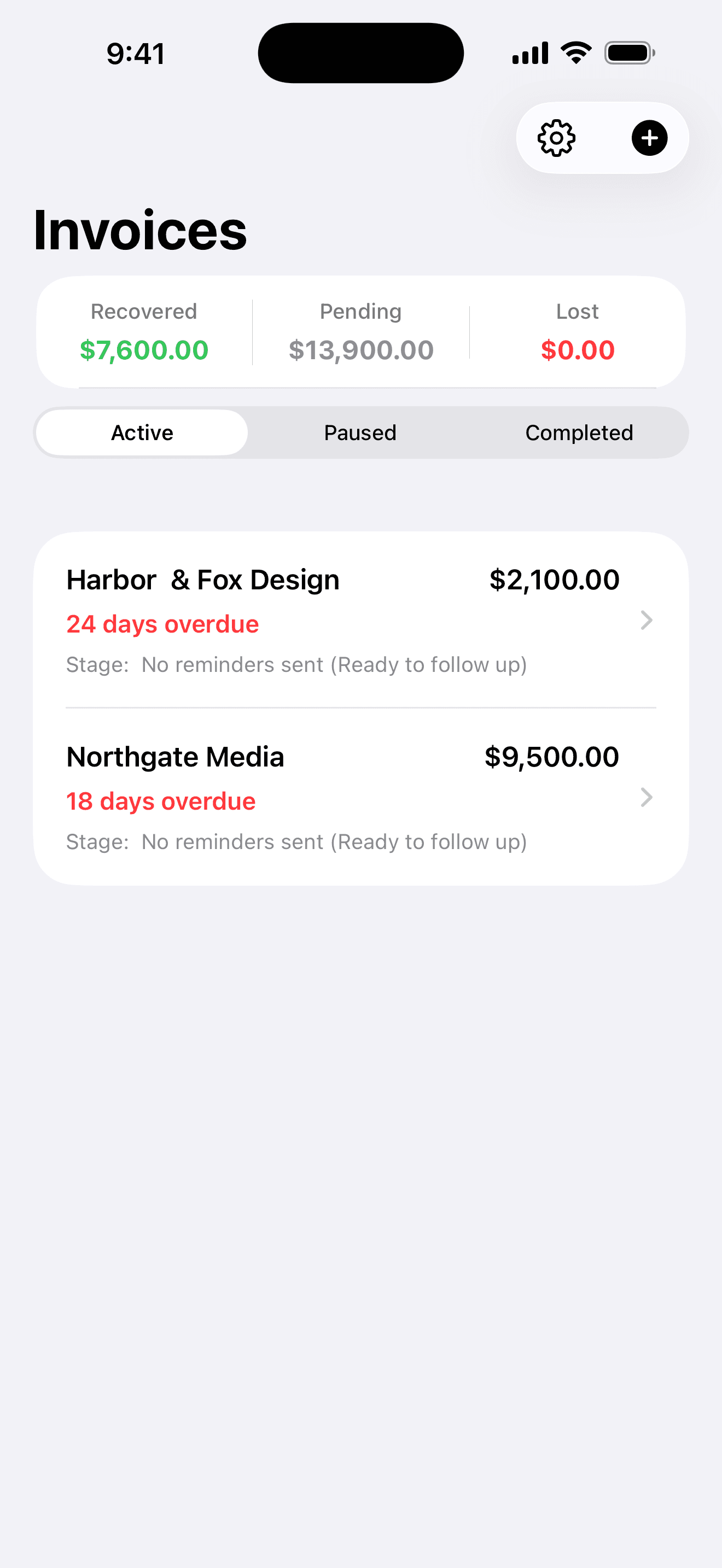
Overdue invoice tracking
Add each unpaid invoice with its client, amount, and due date, then see exactly where it stands. Duesteer keeps every overdue invoice in one clear list so nothing gets forgotten.
- See which invoices are on track, waiting, disputed, or resolved
- Sort and scan overdue invoices at a glance
- Add invoices manually — no bank or accounting connection needed
Recover professionally
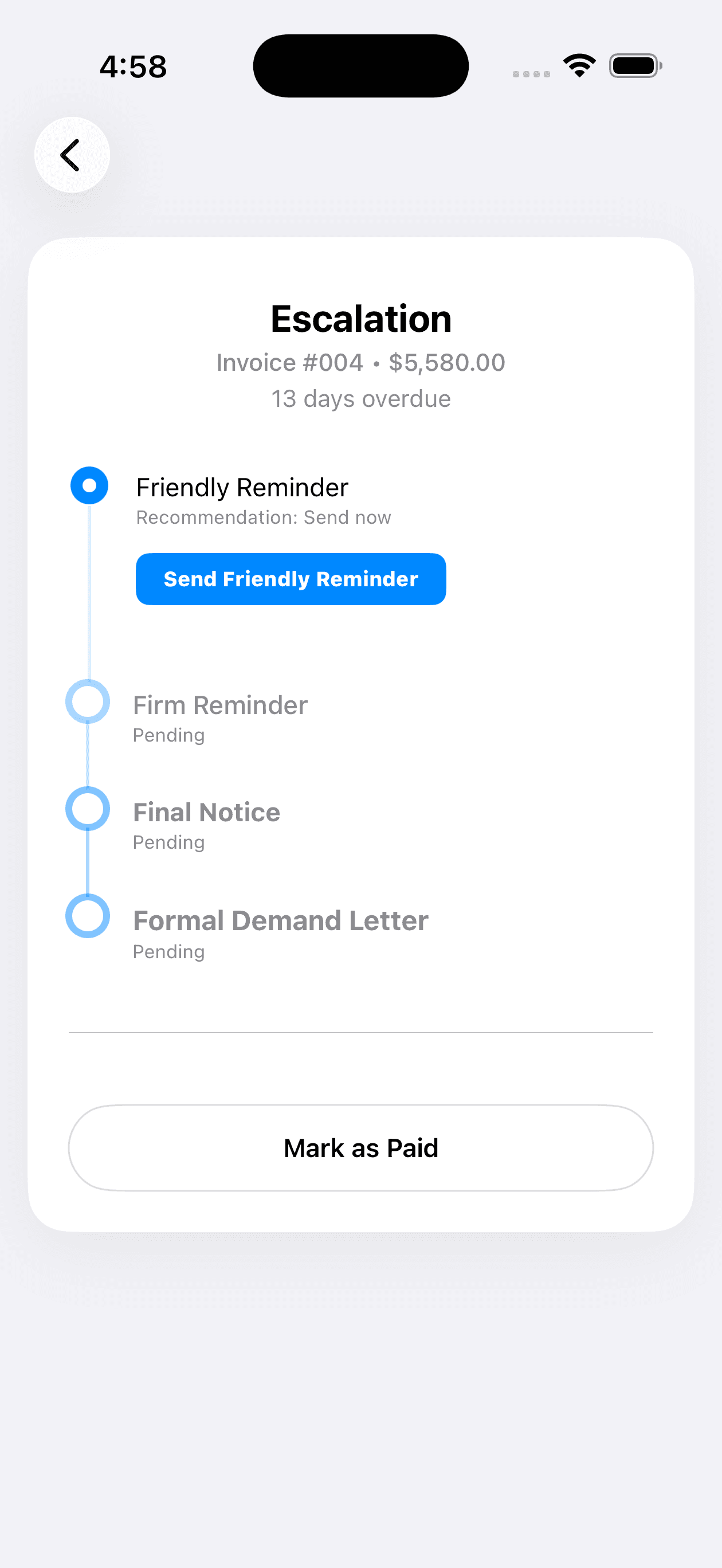
Guided escalation stages
Every invoice moves through a clear ladder of recovery stages, from a friendly reminder to a formal demand. Duesteer recommends the right next action based on where the invoice sits.
- A structured sequence instead of one-off reminders
- A recommended next step for each invoice
- Escalate at a measured, professional pace
Say the right thing
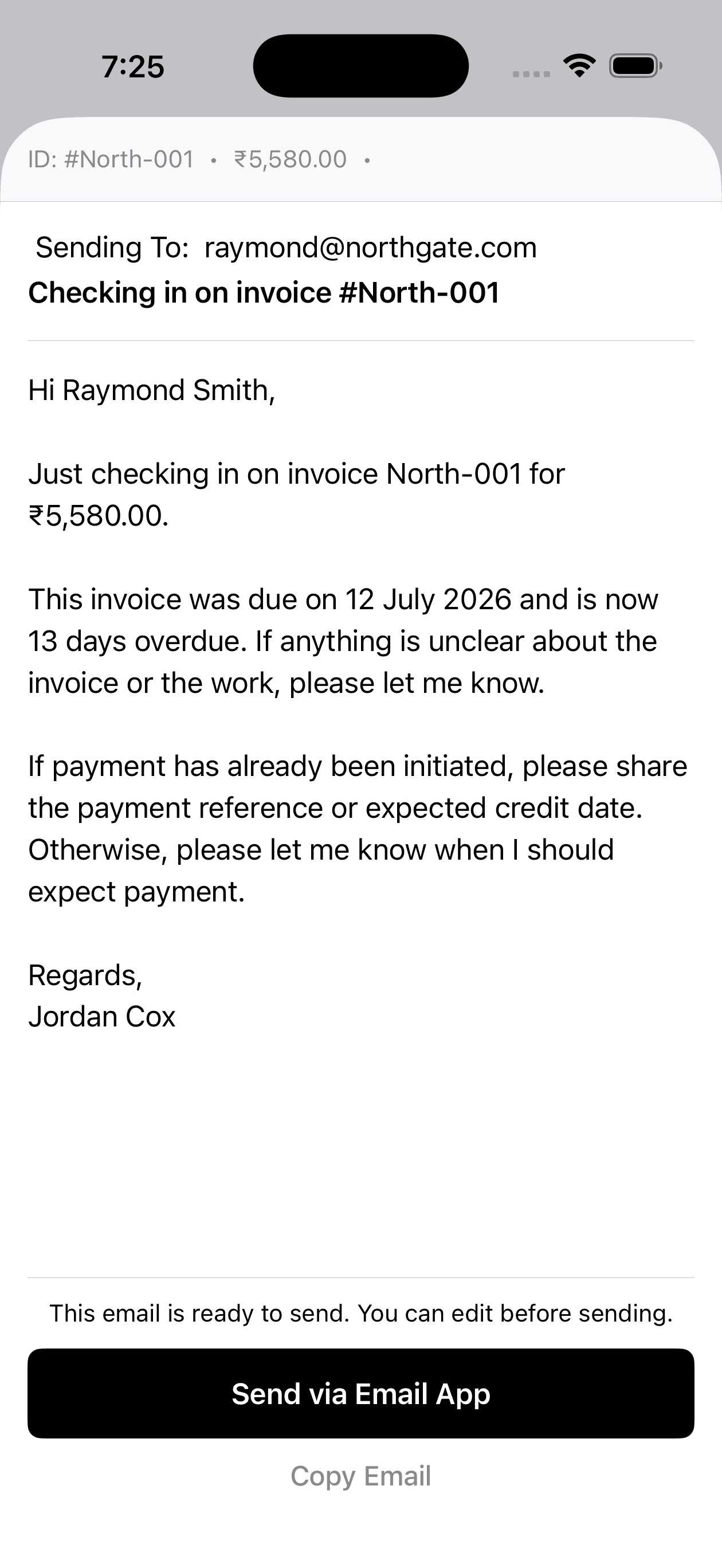
Client communication styles
Generate reminder and escalation emails with wording that fits the relationship and the stage. You review each message and send it yourself from your own email app.
- Choose a tone from friendly to firm to formal
- Professional templates you can edit before sending
- You stay in control — nothing is sent automatically
Client behaviour context
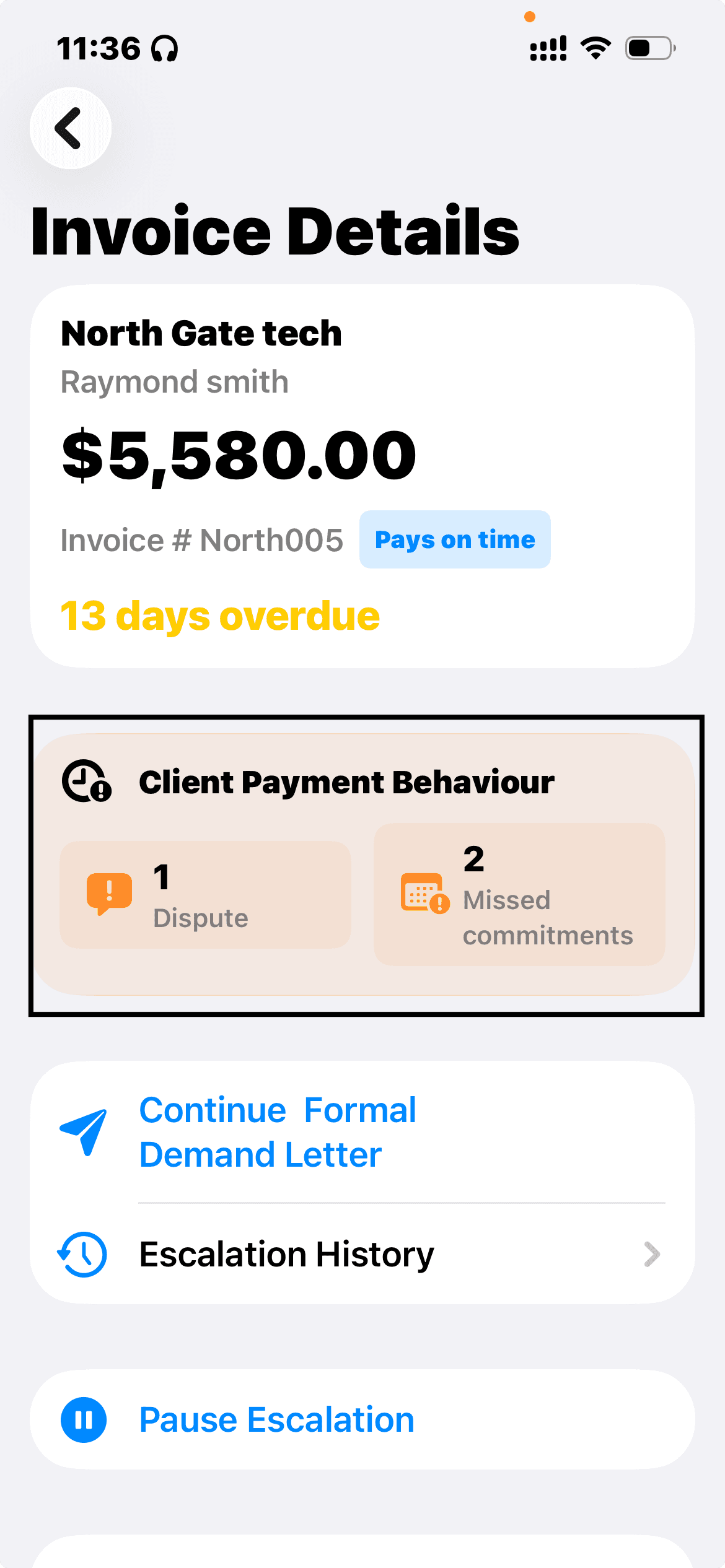
Track disputes and missed commitments
Duesteer keeps a running record of disputes and missed payment commitments on each invoice, so every follow-up reflects what has already happened.
- See disputes and missed commitments at a glance
- Keep the complete escalation history with the invoice
- Continue with the appropriate tone and next step
Hold the line
Payment promise tracking
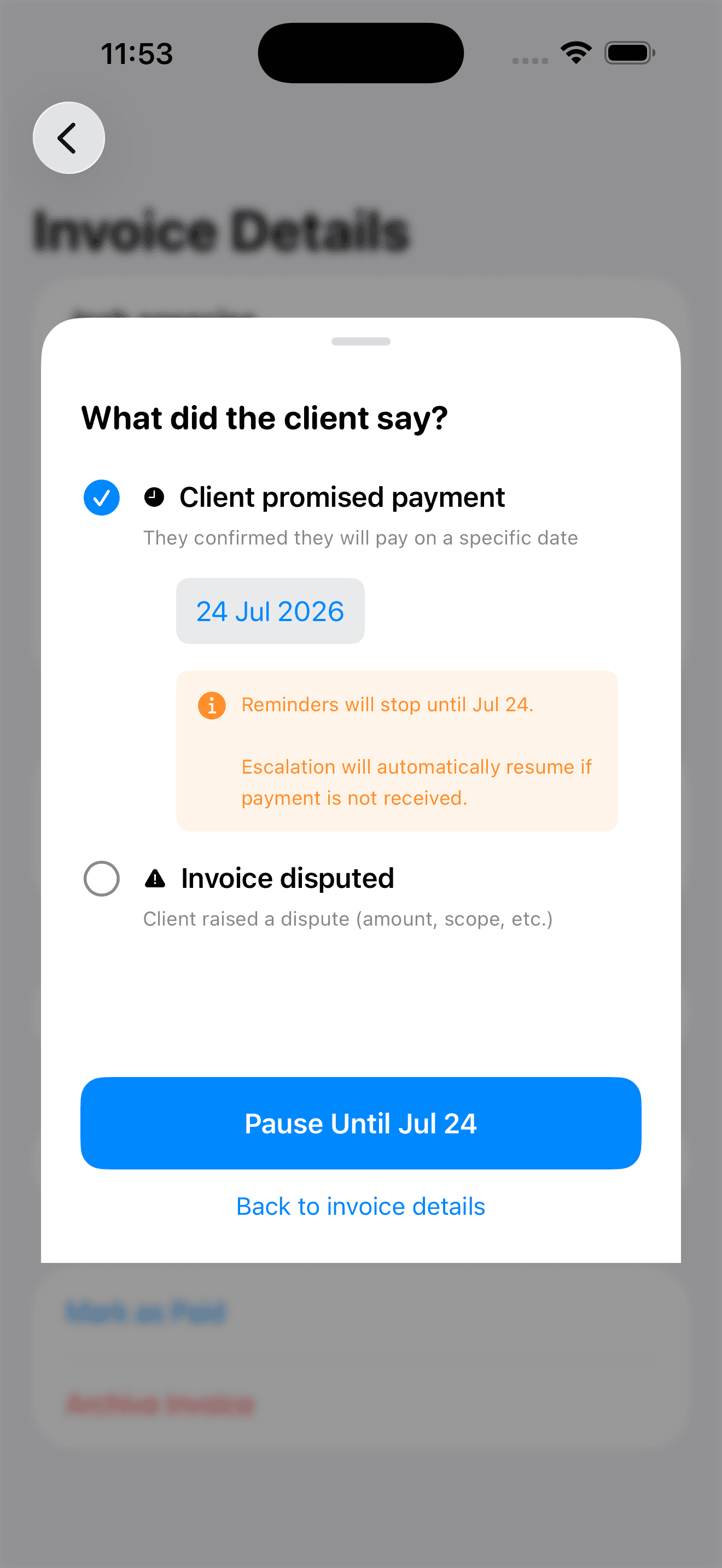
Log a client's promise to pay and pause follow-ups until the promised date. If the promise is broken, Duesteer helps you pick the process back up right where you left off.
- Record promised payment dates
- Pause recovery until the promise is due
- Track broken payment promises
Keep the record
Recovery history
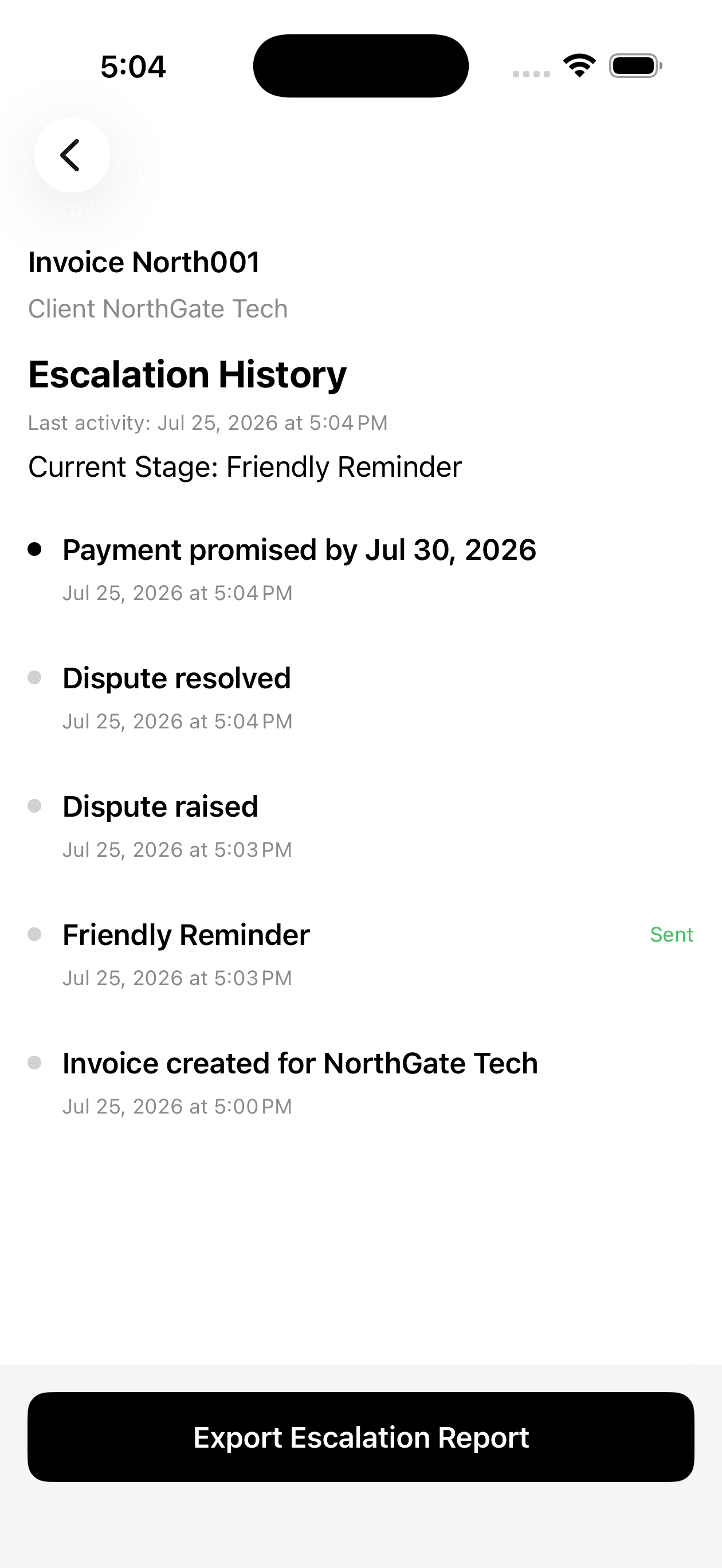
Duesteer keeps a running history of every reminder, dispute, and promise for each invoice, so you always know what happened and when.
- A timeline of actions for each invoice
- See resolved disputes and broken promises
- Understand what worked for next time
Invoice dispute management
Manage invoice disputes without losing recovery progress
When a client challenges an invoice, Duesteer lets you pause the recovery workflow, preserve the invoice's history, and record the outcome before deciding what happens next.
Mark the invoice as disputed
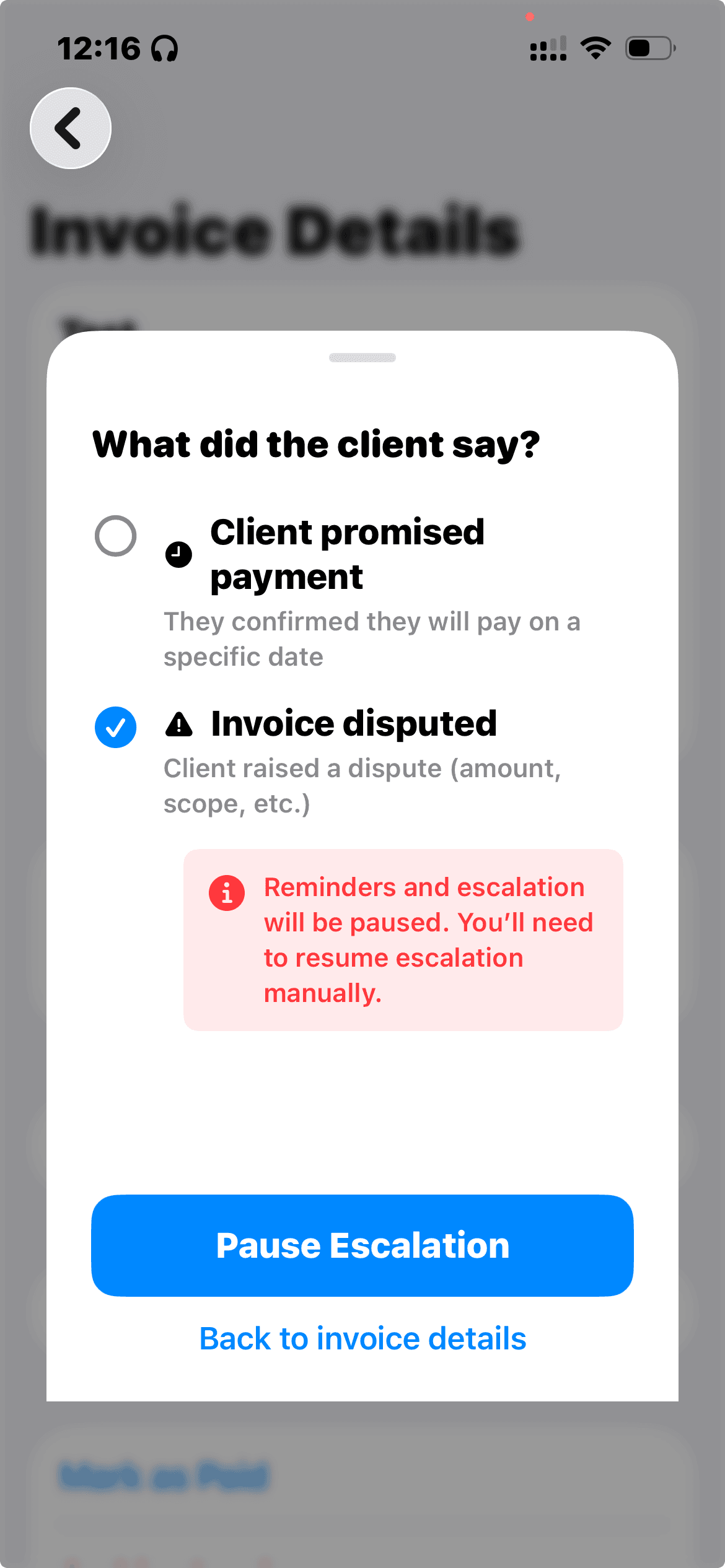
When a client challenges the amount, scope, or work completed, mark the invoice as disputed and pause its active recovery workflow.
- Mark the invoice as disputed
- Pause the current escalation workflow
- Preserve the existing recovery stage and history
Keep the recovery workflow paused
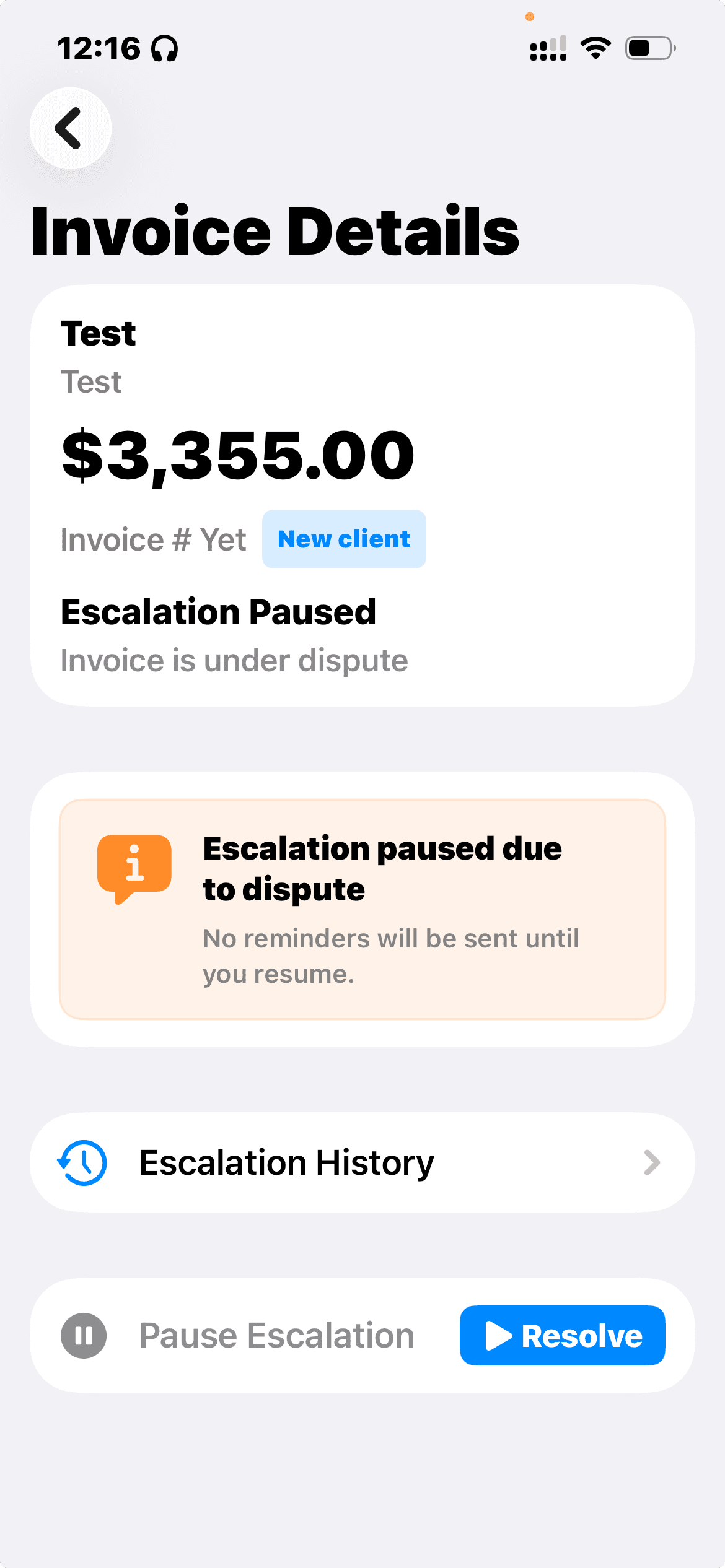
The invoice clearly shows that escalation is paused while the issue is being reviewed. Its details and complete recovery history remain available.
- See the dispute status directly on Invoice Details
- Pause reminders and next-step prompts
- Keep the complete recovery history intact
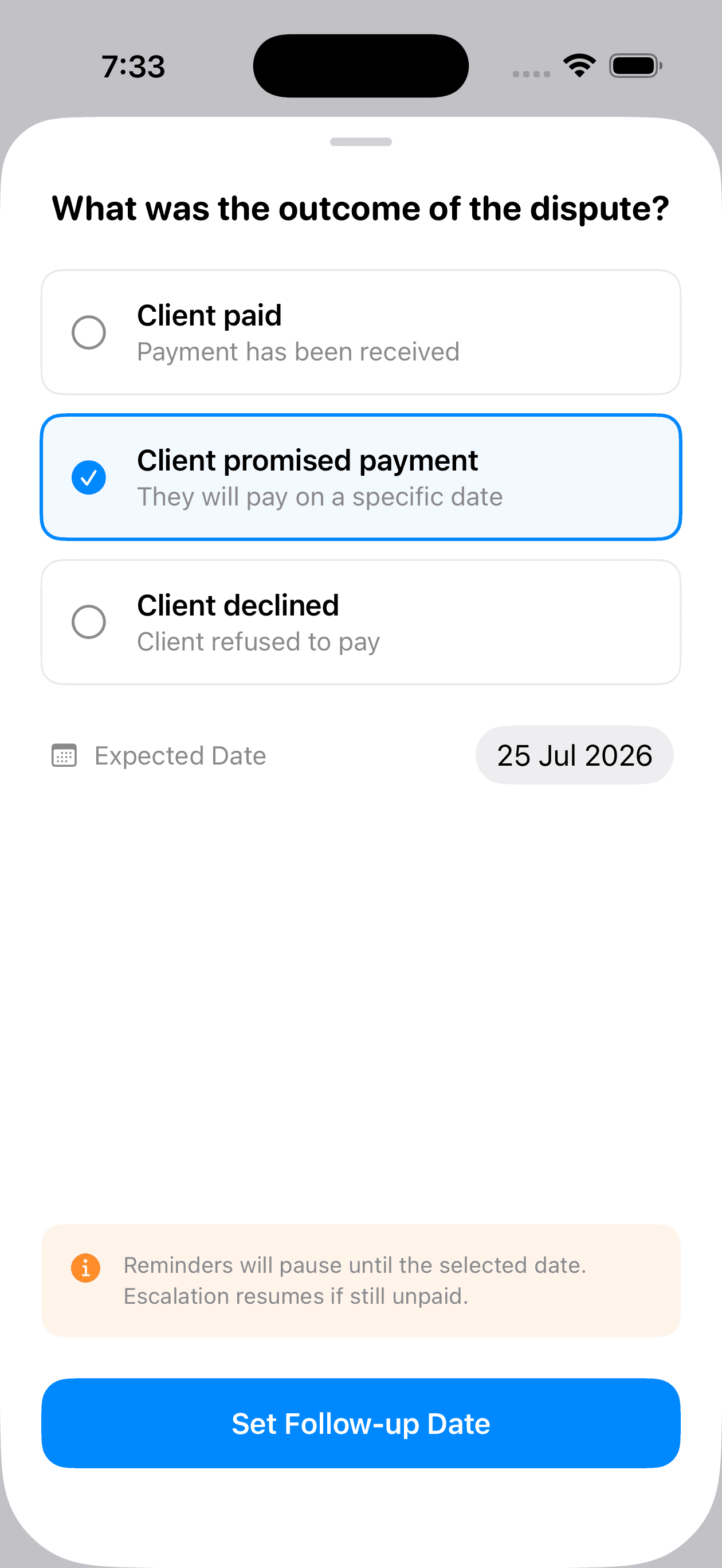
Record the outcome and choose what happens next
Once the client responds, record whether they paid, promised payment, or declined. Duesteer then helps you take the appropriate next step.
- Mark the invoice as paid when payment is received
- Set a follow-up date when payment is promised
- Continue recovery when the invoice remains unpaid
The escalation ladder
Five clear stages of recovery
Duesteer guides each invoice through these stages. It structures the process but does not provide legal advice.
Friendly Reminder
A light, polite nudge that assumes the invoice was simply overlooked.
Firm Reminder
A clear, professional message that restates the amount and the due date.
Final Notice
A direct notice that payment is now significantly overdue and needs attention.
Formal Demand
A formal, businesslike demand for payment with the outstanding details spelled out.
External Action
A prompt to consider outside options. Duesteer guides the step but does not provide legal advice.
Clarity
What Duesteer doesn't do
We keep the product honest and focused. Duesteer intentionally leaves these outside its scope.